Posts

Working with Cisco Support APIs using Python (Part I)

Image
Now a days the buzzword is consume everything using automation through programming. And one way of the consumption is achieved by using REST API and JSON. Let's talk about one such API provided by Cisco - Support APIs. What is Cisco Support APIs? Cisco's own definition is - Cisco Support APIs allows us to programmatically access and consume Cisco Support data in the cloud in a simple, secure, and scalable manner. Let's make our own easily explainable definition - We have a Cisco Catalyst Switch; we want to know detail information about our switch like - bug lists, end-of-life data, recommended software suggestions etc. The Cisco Support APIs allows us to manage all those above and much more by consuming their support api's from cloud. Before going further on I need to introduce two URLs which is required to follow through this blog post -  https://apiconsole.cisco.com . This is the administrative portal where we configure our API access, tokens etc. https://dev...
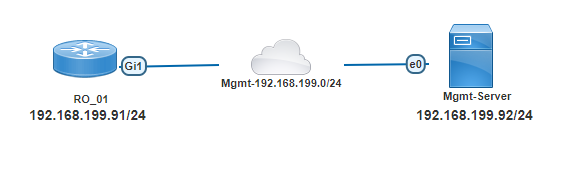
Cisco IOS-XE based Router/Switch updating IOS in install mode

Image
With IOS-XE based network devices, Cisco introduced a new way to run the operating system which is called "install mode" . The old/legacy way to load the operating system is still there which is now called "bundle mode" . The recommended way to run the OS in IOS-XE based devices is install mode.  With the new "install mode" all the operating system files are already extracted as "pkg" files and they are loaded into the device's memory using a provisioning file named "packages.conf" . As OS files are already extracted and directly loaded into the memory; this mode has faster boot time and consumes less RAM  than bundle mode (legacy) and is the recommended method. Cisco has long list of documentation; how to use "install mode" in the network devices. In today's post I will show how to use install mode during firmware update where the network administrator has full control. Let's introduce our topology -  Topology ...

Private VLAN on Arista EOS Switch (How ISP isolates traffic between subscribers)

Image
The other day, I was looking at the arp table entry for my home router and found a funny thing going on - $ show arp Address                 HWtype    HWaddress              Iface 10.10.10.1              ether        04-96-AF-EF-C6-53    eth0 10.10.10.10            ether        04-96-AF-EF-C6-53    eth0 Above arp table is an example hiding the actual IP addresses and MAC addresses. Here my IP address is let's say - 10.10.10.50/24 and GW is 10.10.10.1 . Now the question comes why another subscriber of the ISP in the same subnet (10.10.10.10) also have same mac address as my GW (04-96-AF-EF-C6-53). We are in the same IP network/VLAN (ISP definitely configured those), but my router cannot see the actual MAC address of other devices in the network. The reason is that my ISP is i...

SSL VPN with Fortigate firewalls - Part II (Certificate authentication)

Image
In last blog we have looked at how to configure SSL VPN in fortigate firewall with username/password authentication. Now we will replicate the same setup but with certificate authentication. Our setup will use user-certificate ; not machine-certificate authentication. Our topology looks like below - 01 - Network Topology The topology is very simple as our goal is to look at the SSL VPN implementation in Fortigate firewalls. The firewall has one internal network (10.10.1.0/24) where we have one windows server (Srv-Win-Ad-01 - 10.10.1.25/24) which is running AD domain and certification services and one linux server (Srv-Lin-01 - 10.10.1.26/24) . Also the external network (192.168.199.0/24) which provides internet connectivity. And a domain joined client (Clt-Win-01) which will run the VPN client to get access to the internal network. Basic IP connectivity setup The basic IP configuration of fortigate firewall is given below - config system interface     edit "port1"   ...